
You can compare the official Krillion Daily Dive with friends through Friends. If you want a challenge someone can play later, or a room where everyone answers live, there are independent games with those formats. Choose the format first: they use different question banks and results.
Which kind of multiplayer do you want?
| Your plan | Where to go | Same time? | What you compare |
|---|---|---|---|
| Compare today's official puzzle | Krillion Friends krillion.io · Google sign-in | No | Daily scores and, if shared, answers on your friend leaderboard. |
| Send someone your exact practice round | Krillion Today Independent · no account | No | Your finished dive against their attempt at the same seven prompts. |
| Answer together in a live room | Nichenaut Independent · guest play | Yes | Answers within that game's shared room and scoring system. |
Use one site for a match. A score or ocean depth from one game's bank is not a result for another. A room code belongs on the site that created it.
Compare the official Daily Dive with Friends
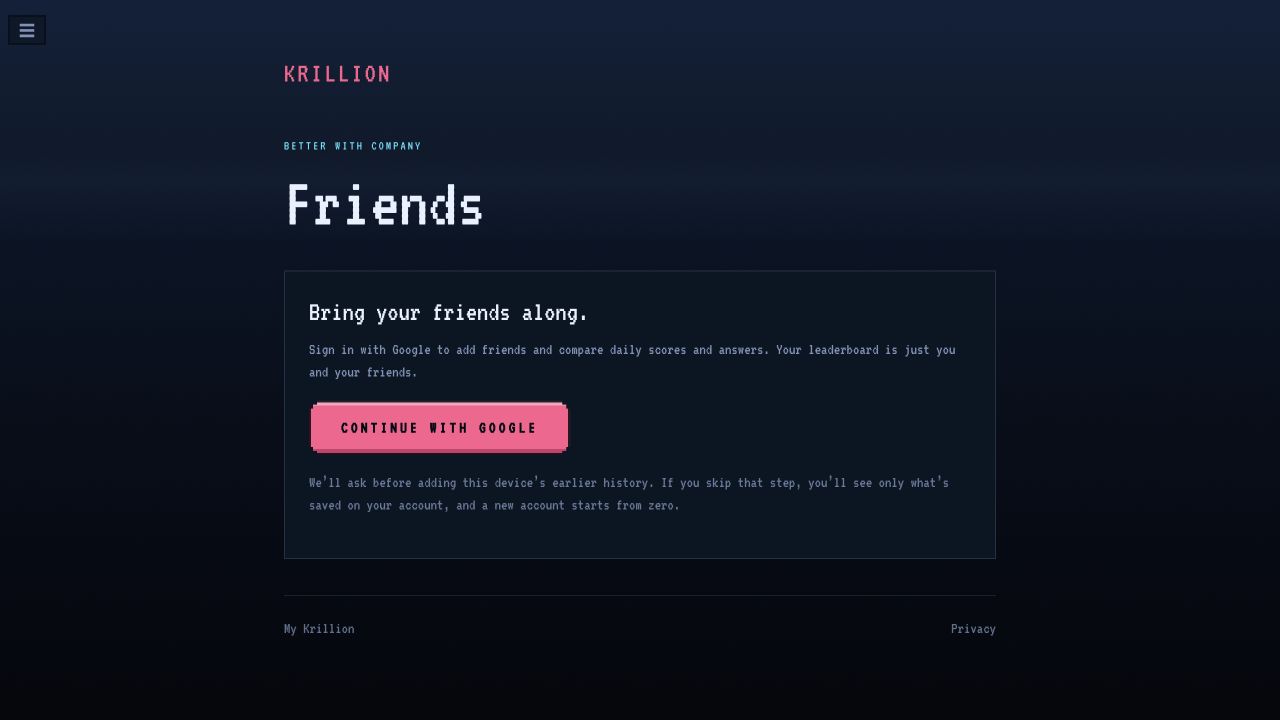
- Open krillion.io/friends, also available as Friends in the game's menu.
- Choose Continue with Google to use the account-based friend features. If offered a history import, decide whether to add earlier games from this device.
- Use your friend invite link to connect with the people you want to compare with.
- Play the same Daily Dive on your own devices. Compare results once each person has finished their daily.
The official sharing policy says friends see your daily score after completing their own daily. Share my answers with friends starts on; turning it off hides your answers while leaving your score visible. You can replace an invite link or remove and block friends from Friends.
If someone sees little or no history, check whether they are viewing account history or earlier guest games on that device. The public entry explains that skipping import leaves account history only, and a new account starts from zero.
Send a challenge someone can play later
Krillion Today's independent practice game offers seven-prompt rounds with 25 seconds per prompt. Its result screen supplies a Challenge a friend link. This is a way to play the same practice set at different times.
- You finish a roundPlay all seven prompts, then choose Challenge a friend.
- Your friend opens its linkThey receive that round's prompts and the same time allowance.
- They compare the divesThe result shows their attempt beside yours.
Example plan: you finish at lunchtime; your friend plays in the evening. Each attempt has 7 × 25 = 175 seconds of answer windows, or 2 minutes 55 seconds, plus reading, feedback and transitions. That is a per-attempt allowance, not a shared countdown or a promise about the session's total length.
The publisher's challenge guide says the link contains prompt identifiers and your depths, without your answer words. A group can use the same link, but there is no common group scoreboard: each person compares with the original attempt. Agree where to collect final totals if you want a group winner.
Play a live room with Nichenaut
For a group ready to answer at the same time, Nichenaut has a host screen and room-code entry. It is an independent rare-answer game with its own prompts. The host settings checked on October 20, 2026 showed Friends · up to 12 and Class · up to 25.
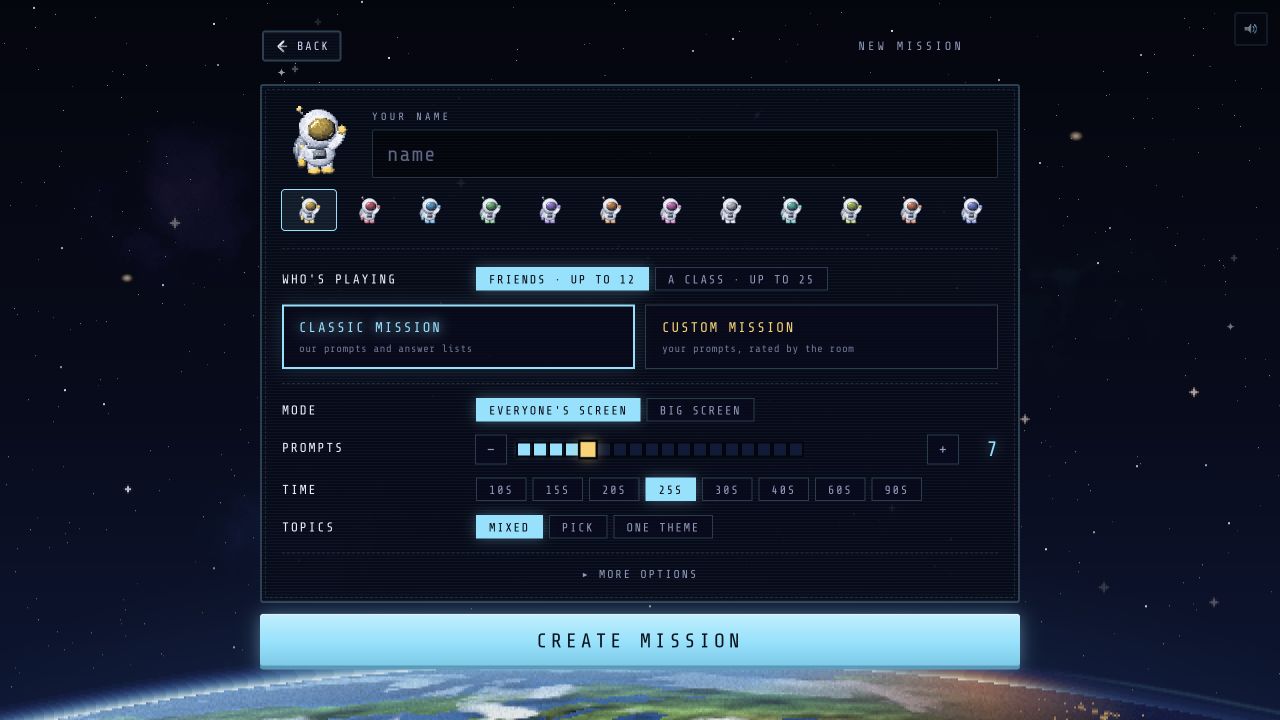
- Host: choose Host a mission, enter a display name and select Friends or Class. Classic Mission uses the game's prompt lists; Custom Mission lets the room rate your prompts.
- Settings: agree on the prompt count, timer and topic. The inspected screen defaulted to seven prompts with 25 seconds selected. Everyone's screen and Big screen are separate layout choices.
- Join: participants open the same site and enter the host's room code. The classroom instructions describe joining without accounts or emails, then revealing the group's answers from common to rare.
In class, correct answers given by fewer pupils earn more points. The classroom guide describes free core play with optional cosmetic purchases elsewhere on the site. Use the room's own settings for the session; player limits and timers from other Krillion-named sites do not describe this room.
Playing in one room with one phone
Here is a simple suggested house format for the official daily puzzle. It needs no room code:
- One phone, one team. Read each prompt aloud and agree on one answer within the game's timer. Rotate who types after each prompt.
- Decide help rules first. For example, allow discussion within the team but keep lookup tools and answer sheets for after the round.
- For team versus team, use separate devices. Both teams play the same dated Daily Dive. Keep results hidden until both finish, then compare that round's totals.
Passing one phone around makes a shared team run. It does not give each person an independent seven-question score. For individual competition, choose separate daily attempts, a challenge link or a live room above.
When the comparison does not look right
- We got different questions
- Check the exact domain, mode and Daily Dive date or number. For a challenge, reopen the original challenge link instead of starting a fresh random round. For live play, check that everyone joined the same room.
- My friend's score is missing
- On official Friends, both players need to finish their own daily before comparing that day's score. Check the account and history-import choice too. A Krillion Today challenge has individual side-by-side results, without a shared group leaderboard.
- Our points or depths do not agree
- Compare results from the same game and round. Independent games can assign different ratings and depth conversions. Use our Daily Dive scoring example for the official game's rules.
- We want to discuss answers without spoiling them
- Wait until everyone has finished, or share only the round identifier and total. Check the image or copied result before posting it. Our result-sharing guide shows how to keep answer discussion separate.
Official status and source check
The official FAQ describes multiplayer and a party game as future plans. Its privacy policy also describes a separate Discord Activity and mentions Puffer Party feedback. These pages do not supply a verified public launch route here; use the official site for those entries. Sending a browser challenge link in Discord follows that browser game's rules.
Checked October 20, 2026: the public official Friends screen, Nichenaut's host settings, and the linked publishers' instructions and policies. We inspected the public interfaces without signing in. Account setup and completed two-player matches were not tested.